
Watch local traffic with tap
A tap connects local OpenTelemetry traces to a board. Use it while you exercise your app: the drawn edges show traffic, latency and errors as requests arrive. It does not instrument your app or generate traffic for you.
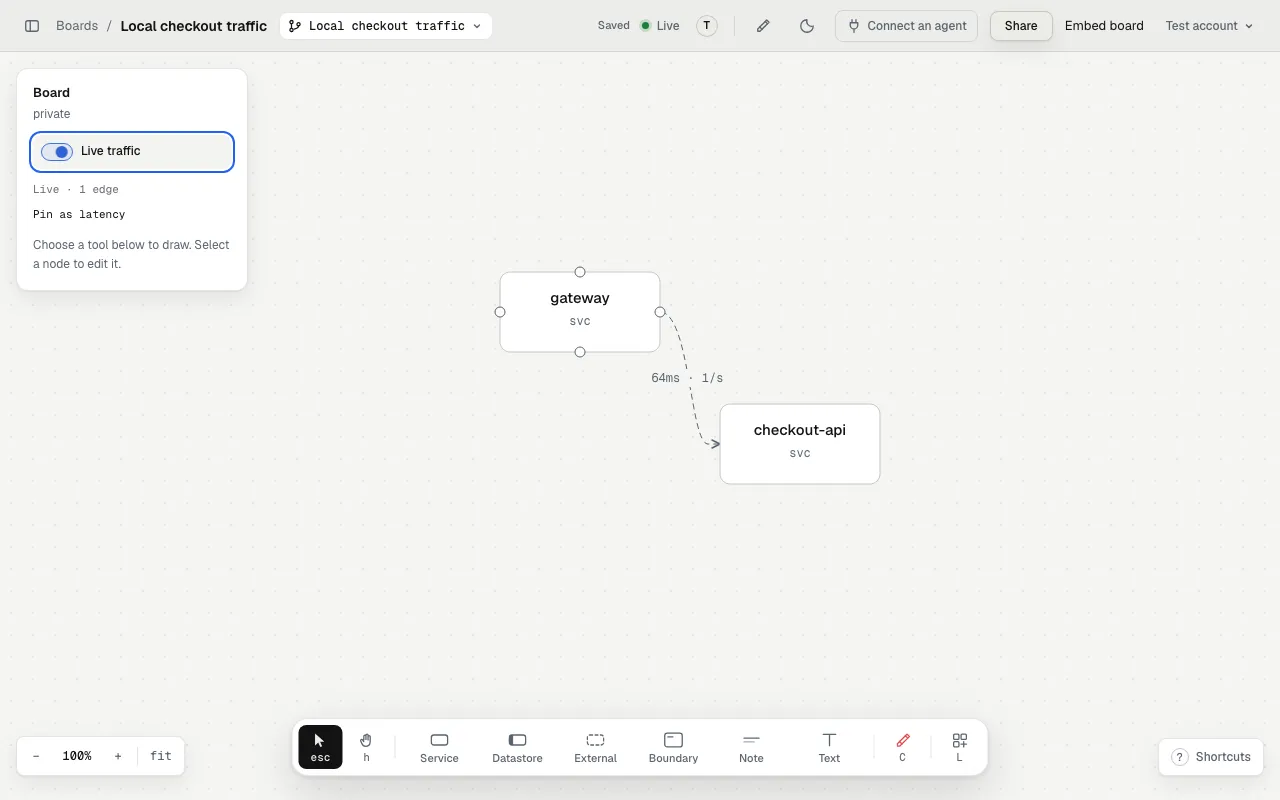
The local demo uses synthetic spans and a simulated live channel. The receiver and canvas show the 64 ms smoke-test sample, not production measurements.
Watch a request path
Section titled “Watch a request path”Start in your project with the draw plugin, then ask:
/draw:navigateDraw gateway → checkout-api → payments-api on this board. Start a live tap, map the services to their node ids, and run the returned helper command in the background. Show me the exporter settings so I can watch a checkout request locally.The agent draws the components and their connections, calls start_tap, and
writes .redcrayon/tap.json. You start your instrumented app and turn on
Live traffic in the board’s left rail. Hover a node or edge to inspect its measurements.
A request must produce related spans from different services. A drawn connection does not produce traffic by itself. See the tap setup.
Reproduce an intermittent error
Section titled “Reproduce an intermittent error”Keep the tap on this board while I reproduce the checkout error locally. Compare gateway → checkout-api with checkout-api → payments-api. Identify which observed hop has errors, and separate that observation from your explanation of the cause.Exercise the failure through your app’s test path. Error counts come from spans marked with an error status. An HTTP failure that instrumentation does not mark as an error does not automatically count as one.
Use a red crayon mark to ask the agent to inspect the code behind an affected component. The tap locates observed failures. It does not prove their root cause or change the code.
Compare a performance change
Section titled “Compare a performance change”Help me compare this change locally. Use the same test workload before and after, record the measured edge rates, median latencies and error counts, and put the results in a chart with the command and commit for each run. Do not use estimates as measurements.The tap shows short live windows, not a stored benchmark history. Record the measurements separately for a comparison. Sampling, export timing and small request counts affect the result. The displayed latency is the window’s median, not a production SLO.
Charts can keep the recorded comparison beside the affected services.
Try it before instrumenting an app
Section titled “Try it before instrumenting an app”The synthetic smoke test sends one known gateway → checkout-api call to your running tap. It checks the local receiver and mapping without claiming to measure your application.
Finish the session
Section titled “Finish the session”Turn Live traffic off to stop watching. The helper stops sending summaries only after no viewer on the board has Live on. Stop the background helper, or press Ctrl-C in its terminal, to close the local receiver too.
Live traffic setup and troubleshooting · Your data and code consent