
Triage security findings
Use this when a scanner report or SIEM alert needs architectural context. The board connects the finding to what the affected service can reach and what trusts it.
You ask
Section titled “You ask”Use this SIEM alert and scanner report to mark affected services on the architecture board. Separate evidence of compromise from vulnerability findings. For each priority, explain reachability, sensitive data, exploit evidence and available fixes. Cite the source and list missing dependencies.The agent needs your alert or access to your SIEM or scanner through another tool. The board does not scan your infrastructure itself.
What happens
Section titled “What happens”- The agent marks services identified by SIEM alerts as
compromisedunder the threat workflow. - It marks actionable critical or high scanner findings as
vulnerablewhen a fix exists or the CVE appears in KEV. - It attaches the source, severity and context to each threat.
The compromised marker records the agent’s interpretation of the alert.
It does not independently establish that an intrusion occurred.
Inspect the impact
Section titled “Inspect the impact”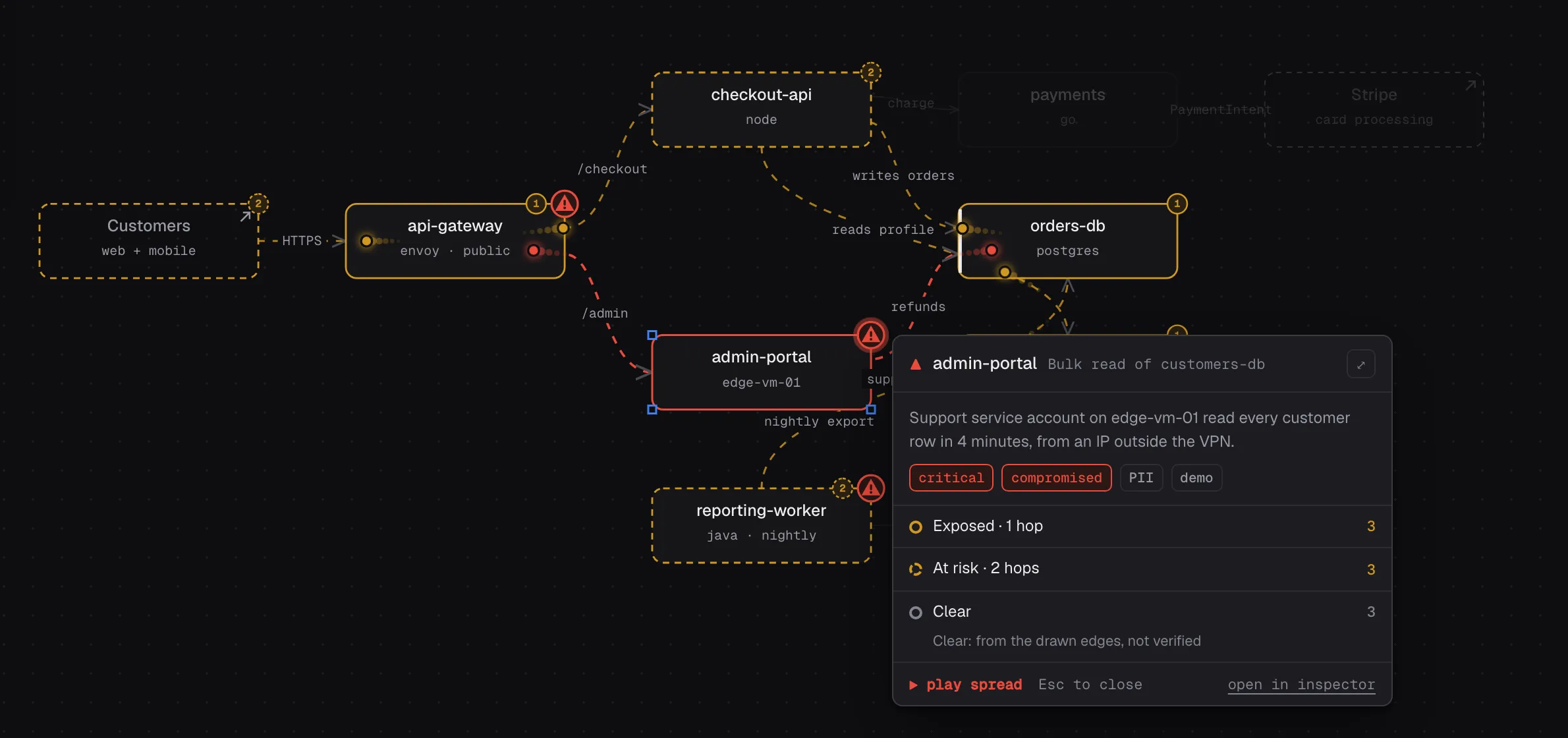
Open a threat marker to inspect its blast radius. Direction and depth controls help you follow the drawn dependencies. A missing connection can hide impact. A node marked clear is not a verified safe system.
Make the priority explicit
Section titled “Make the priority explicit”Compare these two findings. Which needs containment first, and which can wait for a patch window? Explain the decision using the alert evidence, exposure and sensitive downstream systems. Do not rank by node count alone.Use a red crayon mark to ask about a missing service or an unsupported priority. Mark contained records a decision in draw. It does not isolate a service, patch software or close the source alert.